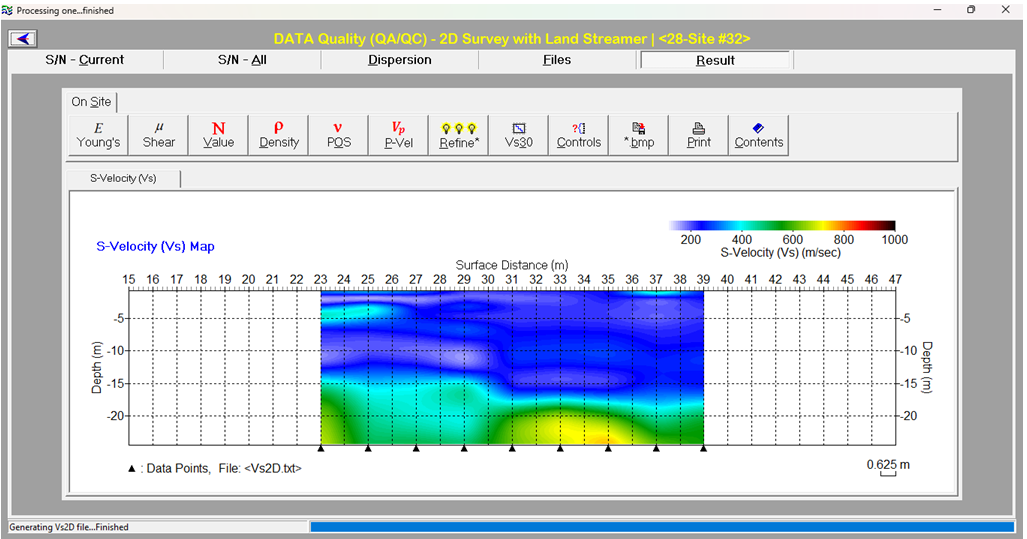
This module is dedicated to the conventional MASW surveys for geotechnical investigation using geophones that generate shear-wave velocity (Vs) profile in 1D (e.g., Vs30m) or 2D automatically in real time as the data files (SEG-2) are saved by the seismograph.
PSX-On Site | Watch Video
Test Surveys:
Productions Surveys:
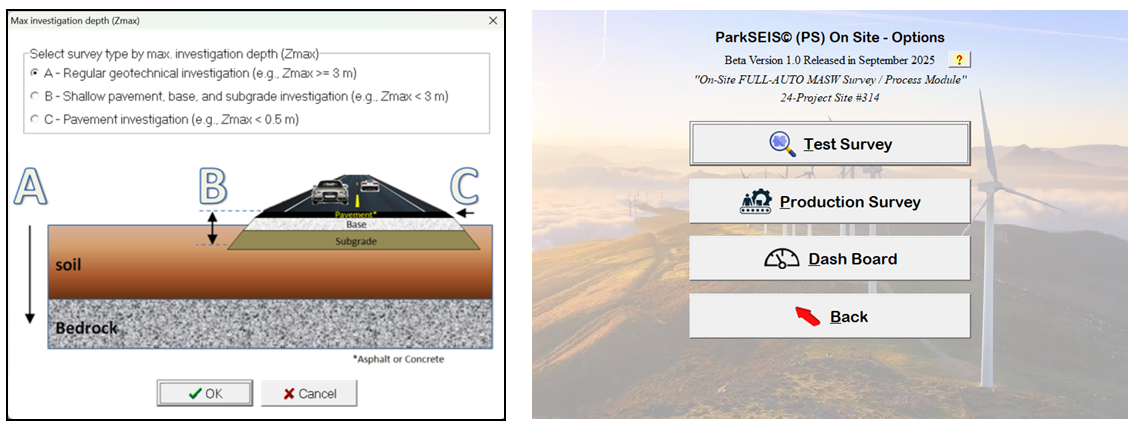
Investigation depth range is first specified, which will set the subsequent analysis parameters accordingly. The “Test Survey” can be used to test data quality before actual “Production Survey” begins so that recording and geometry parameters can be calibrated.
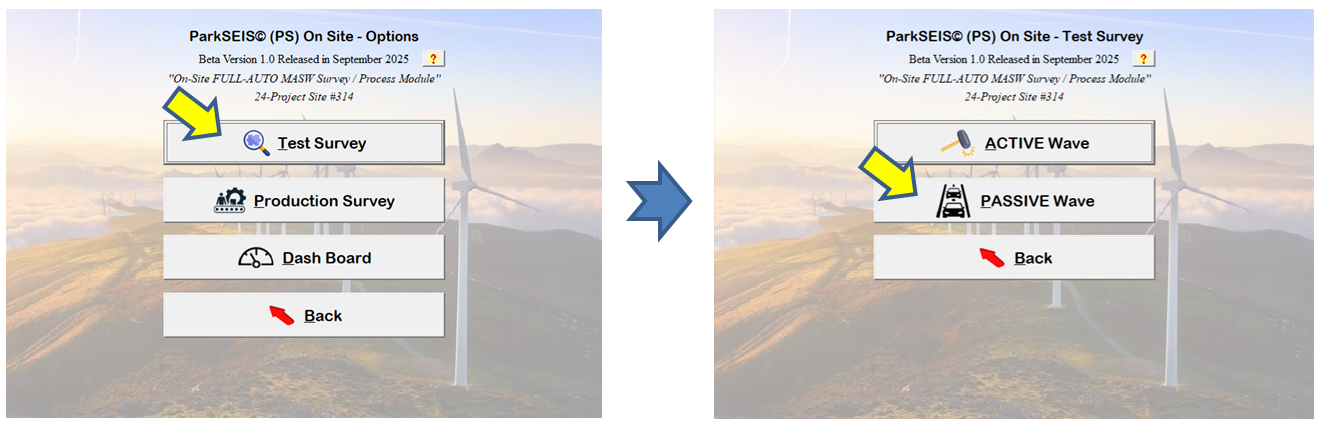
The “Active Wave” will provide all active data qualities as described in the “QA/QC” module. The “Passive Wave” will provide energy and azimuth information of ambient passive waves as illustrated below. In this case, an “L-shape” receiver array must be used.
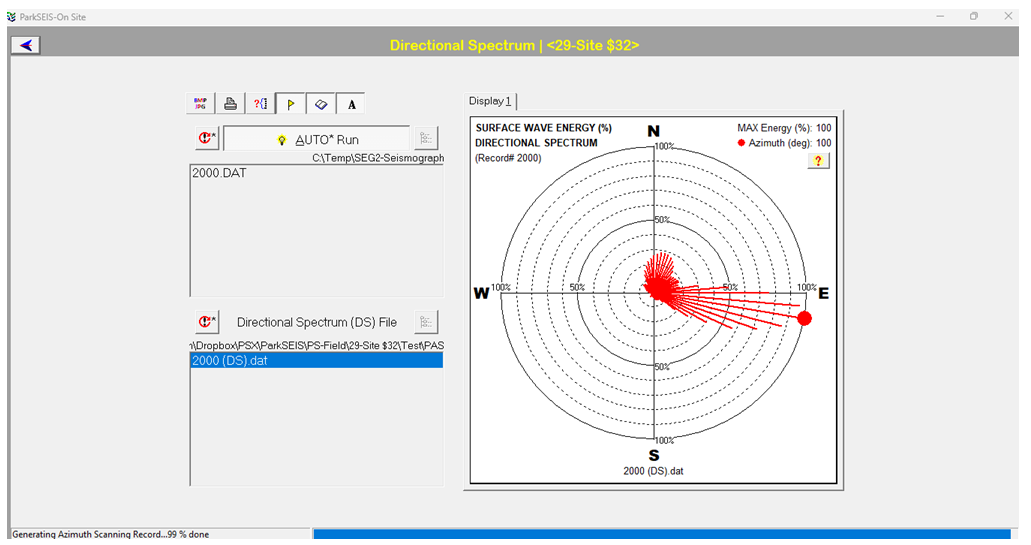
The directional spectrum (DS) illustrated below shows the strengths of passive waves for different azimuths. It shows strong passive energy coming from the east (100-degree azimuth). This means that a receiver array must be laid east-west direction in order to utilize the passive waves for production survey (e.g., Vs30m).
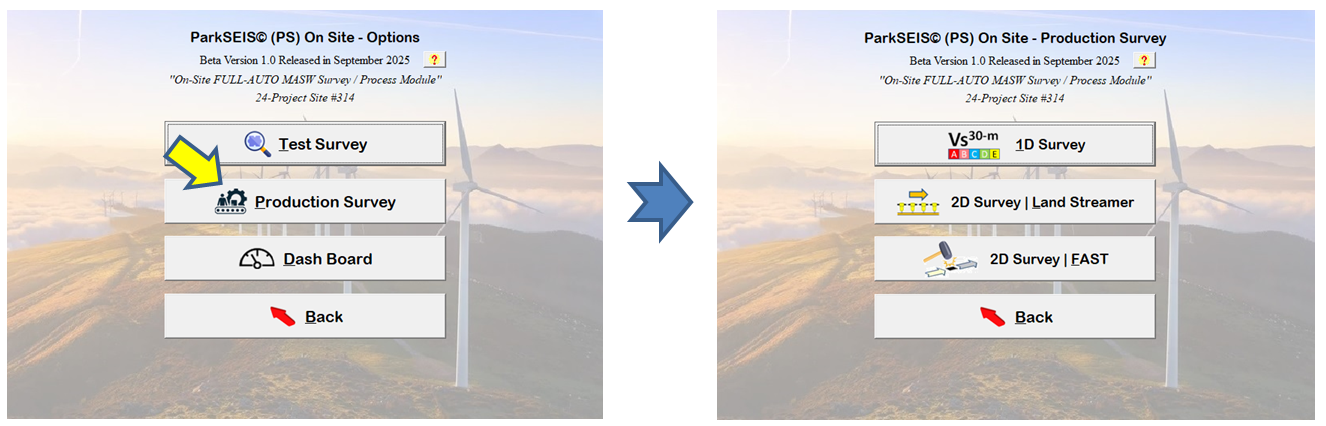
The “Production Survey” has options for 1D (Vs30m) or 2D surveys. For the 2D surveys, a land streamer can be used to produce a 2D profile to cover any planned surface distance. A Fixed-Array-Shoot-Through (FAST) can also be used to generate a 2D profile of relatively short distance in a “fast” speed.
The output profile is automatically created after several field (SEG-2) files are saved. The 1D profile (Vs30m) is created after three (3) files of different shot offsets are saved as illustrated below. More files will improve the quality (i.e., reliability) of the 1D profile. Usually, 3-10 files are enough to ensure the best quality profile.

The 2D profile is constructed after several files (e.g., 3) are saved when using a land streamer and the profile will be continuously expanded as more files are saved as illustrated below. It will be constructed after all files are saved when using the FAST mode. For example, it will be constructed after the shot point reaches the last location at the other end of the receiver array (e.g., after saving 30 files).